

Introduction
Google Analytics 4 fundamentally changed how analytics works.
Instead of session-based reporting, GA4 introduced an event-driven data model designed for flexibility, cross-platform tracking, and privacy-first measurement.
However, as organizations scale, many teams quickly realize:
GA4’s UI is not designed for complex business logic.
This is where BigQuery becomes essential.
GA4 + BigQuery integration allows companies to move from UI-based reporting to data engineering–driven analytics, where metrics are defined by business logic—not tool assumptions.
What Is GA4–BigQuery Integration?
When GA4 is linked to BigQuery:
- Every user interaction (event) is exported as raw, unsampled data
- Data is stored in daily partitioned tables
- Each row represents one event
- Nested parameters preserve full context (URL, source, country, device, etc.)
High-Level Architecture

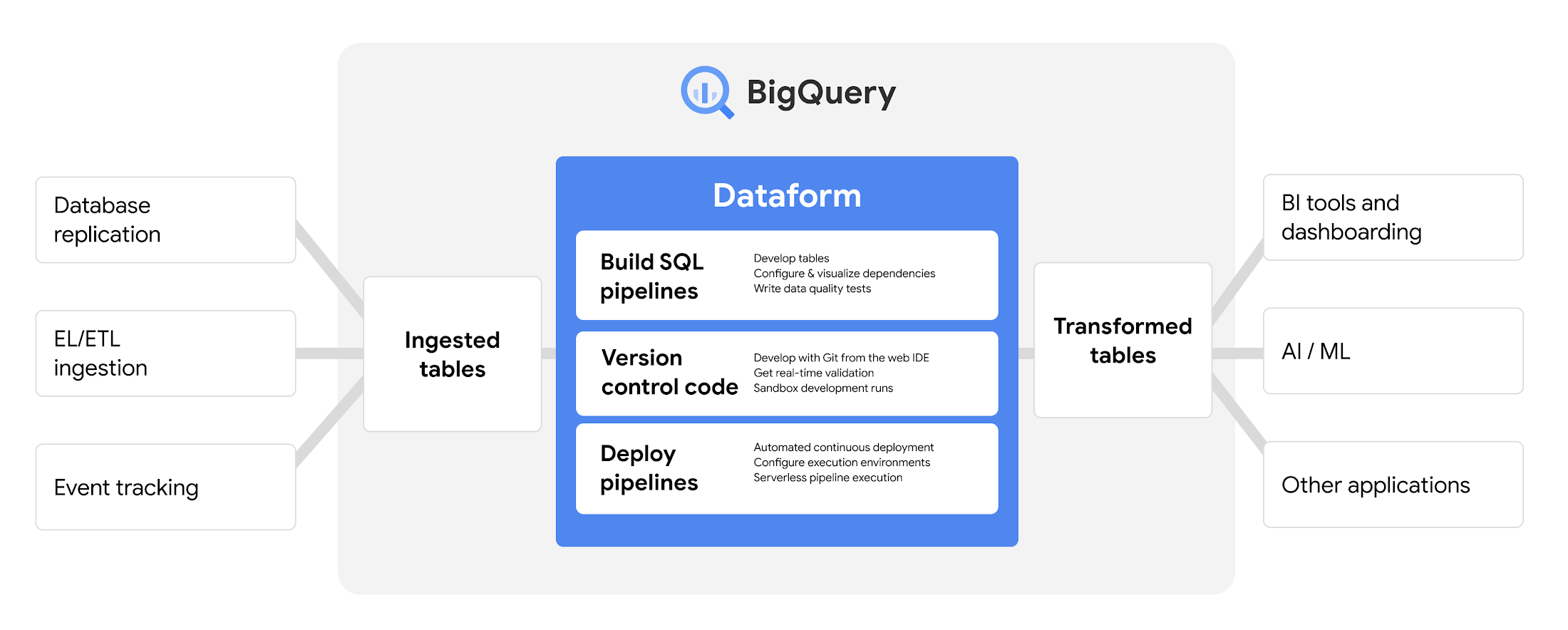
User Actions
   ↓
GA4 (Event Collection)
   ↓
BigQuery (Raw Event Tables)
   ↓
SQL Logic (Your Business Rules)
   ↓
Dashboards / Models / AI / Reporting
This architecture separates:
- Data collection (GA4)
- Data truth & logic (BigQuery)
- Visualization & consumption (any BI tool)
Why GA4 UI Alone Is Not Enough
GA4 UI is optimized for:
- Exploratory analysis
- Quick insights
- Generic use cases
It is not optimized for:
- Complex funnels
- Page-level attribution
- Multiple CTAs and conversions
- Custom business definitions
- Large-scale SEO or CRO analysis
Common Limitations Teams Face
- Pageviews inflated by thank-you pages
- Conversion counts higher than actual leads
- No control over attribution logic
- Difficulty joining GA4 with other datasets
- Inconsistent numbers across teams
BigQuery solves these problems by giving you full control over logic.
Key Benefits of GA4 + BigQuery Integration
1. Unsampled, Event-Level Data
Every event is available exactly as collected—no aggregation, no sampling, no hidden rules.
2. Business-Defined Metrics
You decide:
- What counts as a pageview
- What counts as a lead
- How attribution should work
3. Scalable Analysis
Analyze:
- Thousands of pages
- Millions of users
- Multiple years of data
without UI limitations.
4. Advanced Use Cases
- SEO performance modeling
- Funnel analysis
- Attribution modeling
- Product analytics
- Predictive analytics with ML
Deep Dive Use Case
Accurate Page-Level Traffic and Lead Attribution
Problem Statement
A content-heavy website has:
- Hundreds or thousands of landing pages
- Each page represents a unique asset (product, report, article, listing)
- Each page contains multiple CTAs
- Each CTA leads to a different thank-you page
Business teams want to answer:
“Which pages actually drive leads?”
Why This Is Hard in GA4 UI
- Thank-you pages generate their own
page_viewevents - GA4 UI counts them as pageviews
- Leads are fired on different URLs
- Conversion rate becomes unreliable
Step-by-Step Solution Using BigQuery
Step 1: Identify a Stable Page Identifier
Instead of relying on full URLs (which change), use a stable page identifier such as:
- A numeric ID
- A slug ID
- A product/report identifier
This identifier appears:
- On the landing page URL
- On the thank-you page URL (as a parameter)
This becomes the join key for traffic and conversions.
Step 2: Separate Traffic Logic from Conversion Logic
This is the most important step.
Traffic (Pageviews)
- Count only landing page views
- Exclude thank-you pages completely
- This gives you true traffic
Conversions (Leads)
- Count only the lead event
- Ignore pageviews on thank-you pages
- Attribute leads using the page identifier
This separation ensures:
- No inflated traffic
- No double counting
- Accurate conversion rates
Step 3: Normalize Data in BigQuery
Using SQL:
- Extract the page identifier from all relevant events
- Apply strict conditions for:
- What counts as a pageview
- What counts as a lead
BigQuery allows this logic to be:
- Explicit
- Auditable
- Reusable
- Version-controlled
Step 4: Enrich the Dataset
Once the base logic is correct, add dimensions such as:
- Source / Medium
- Country
- Device
- Campaign
Because the core metrics are stable, enrichment does not distort results.
Final Output: What You Get
For each page identifier, you can now reliably measure:
- True landing page pageviews
- Unique users
- Leads
- Conversion rate
- Performance by channel
- Performance by geography
This dataset becomes a single source of truth for:
- SEO teams
- CRO teams
- Paid media teams
- Leadership dashboards
Why This Approach Works Long-Term
| Traditional GA4 UI | GA4 + BigQuery |
|---|---|
| Tool-defined logic | Business-defined logic |
| Aggregated views | Raw event control |
| Limited attribution | Custom attribution |
| Hard to debug | Fully transparent |
| UI constraints | Infinite flexibility |
Once implemented, teams stop arguing about numbers and start acting on insights.
Best Practice for the Future
The most future-proof enhancement is to:
- Pass the page identifier as an explicit event parameter with conversion events
This removes:
- Regex dependency
- URL coupling
- Fragile assumptions
But even without this improvement, a well-designed BigQuery model remains robust and scalable.
Final Thoughts
GA4 is a powerful data collection tool.
BigQuery is a powerful data truth platform.
When combined:
- GA4 captures behavior
- BigQuery defines reality
If your organization depends on accurate digital performance data, GA4 + BigQuery is not an advanced option—it’s a requirement.